
Digital Nomad Essentials: What to Pack and How to Stay Productive While Traveling
Trippwiz Editorial
06 Jun 2026 • 9 min read
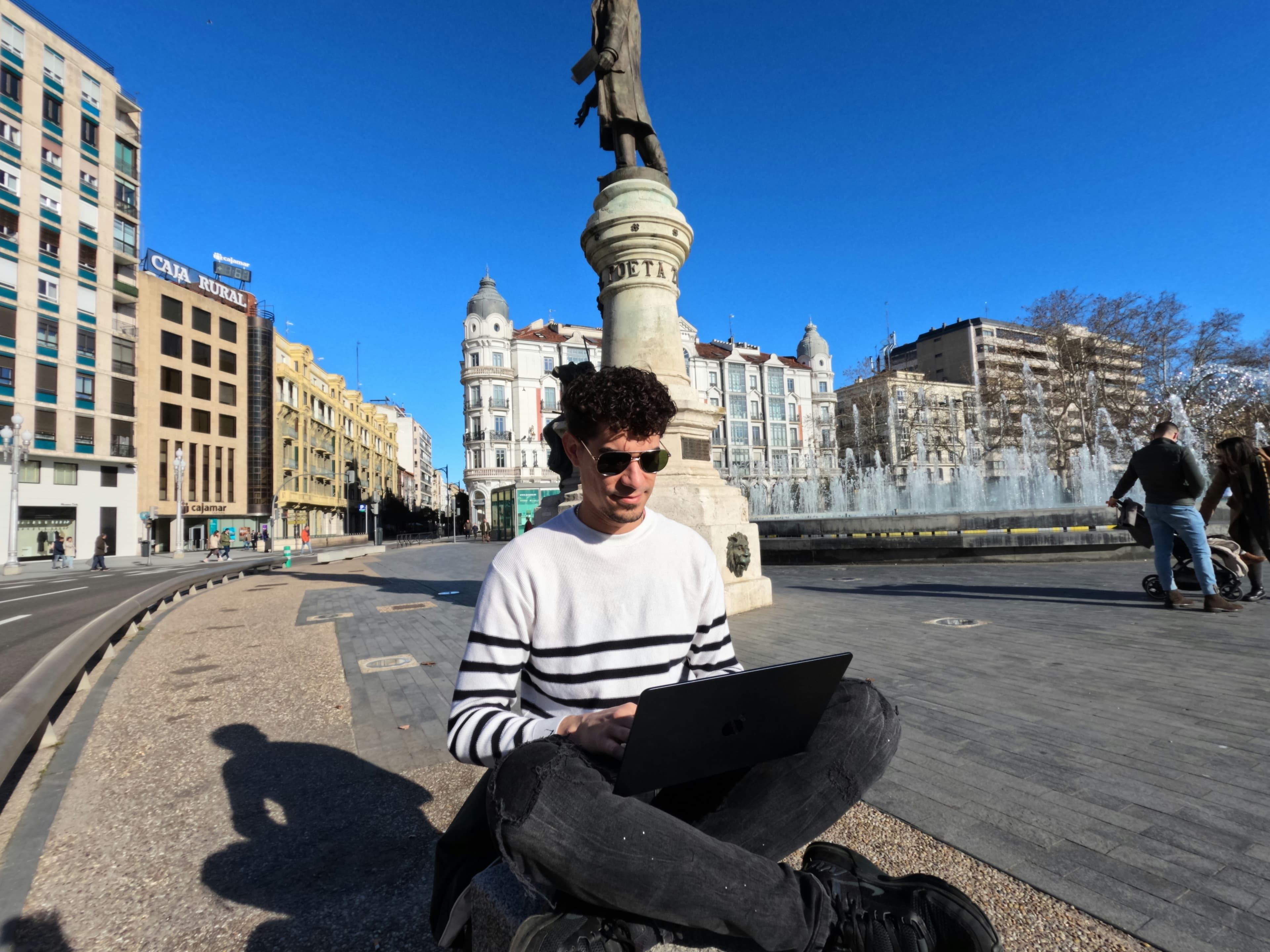
When I began my journey of being a digital nomad, I thought the core bottleneck was mostly a logistics challenge: laptop, passport, Wi-Fi, done.
I was wrong.
The hard part is not just moving between places. The hard part is staying useful, focused, and physically okay while your context changes every few days. New desk height. New chair. New socket type. New timezone. New distraction pattern. New grocery options. New sleep quality.
After enough trial-and-error weeks, I stopped trying to build the perfect setup and started building a repeatable system.
This article is that system.
If you are looking for digital nomad essentials, what to pack, and how to stay productive on the road, this is the guide I wish someone gave me before my first long work trip.
If you are short on time, start here:
- a realistic digital nomad packing list that does not break your back
- a minimal work setup that survives airports, hostels, and apartments
- productivity routines that still work when your schedule is unstable
- common mistakes that cost time, money, and momentum
What most digital nomad guides get wrong
Most digital nomad content fails in one of two ways:
- it gives you a giant shopping list with no priority
- it gives you motivation but no operational system
What you actually need is a decision framework.
Every item you carry should do one of these jobs:
- protect your ability to work
- protect your health and energy
- reduce recurring friction on travel days
If an item does not clearly do one of those, it is probably optional.
My core digital nomad packing philosophy
I pack around failure points, not aesthetics.
Failure points are where remote work trips usually break:
- power access fails
- internet fails
- focus fails
- posture fails
- backup plans fail
So my bag is built to absorb those failures.
That one mindset shift changed everything for me.
Digital nomad essentials: the actual packing list
This is the list I now use for long stretches on the road.
1) Work-critical gear (non-negotiable)
- primary laptop + charger
- phone + charger
- universal plug adapter
- compact power strip or multi-port charger
- noise-canceling headphones
- portable SSD or encrypted backup drive
- cable kit (USB-C, USB-A, HDMI adapter if needed)
Why this set works:
It protects continuity. If I can power devices, join calls, and access files, I can still produce value even when everything else is messy.
2) Work-comfort gear (high leverage)
- foldable laptop stand
- compact external mouse
- lightweight keyboard (optional, depending on workflow)
- reusable water bottle
- basic eye drops (if you do long screen hours)
These look like small additions, but they dramatically reduce fatigue across long weeks.
I resisted the stand and mouse early on because I wanted to "travel light." Then I spent months with neck pain and lower focus windows. The stand fixed more productivity problems than any app ever did.
3) Connectivity and power backup
- eSIM plan ready before landing
- local SIM fallback plan
- backup hotspot option (if your role is meeting-heavy)
- offline copies of critical work docs
The internet failure problem is predictable. Treat it as guaranteed, not hypothetical.
4) Travel-health basics
- sleep mask and earplugs
- simple medicine kit
- one set of gym bands or compact mobility tool
- comfortable walking shoes you can work in all day
If your sleep and body degrade, productivity follows. Health items are work items.
5) Documents and money redundancy
- passport + digital copies
- travel insurance details
- at least two cards from different networks
- emergency cash split across separate locations
Never run a one-point-of-failure setup for money or identity.
How I adjust this packing list by trip length
One mistake I made early was using the same packing setup for every trip.
A 10-day work trip and a 3-month nomad stretch do not need the same bag strategy.
For short work trips (up to 2 weeks)
- prioritize speed and low friction
- carry only one reliable work outfit style you can repeat
- skip niche gear and optimize for mobility
For medium trips (2 to 8 weeks)
- add one comfort item that protects consistency (stand, keyboard, or recovery tool)
- include a simple laundry rhythm instead of extra clothing bulk
- pack one backup for your highest-risk failure point (usually internet or power)
For long nomad stretches (2+ months)
- optimize for body and routine sustainability, not novelty
- invest in posture, sleep, and file backup discipline
- rotate low-value items out every few cities to keep bag weight stable
The longer the trip, the more your system should protect energy, not just output.
What not to pack (my expensive lessons)
These items usually look useful but become dead weight:
- multiple "just in case" outfits for rare scenarios
- full-size accessories you use once a month
- duplicate gadgets with overlapping function
- heavy productivity gear that does not fit your actual workflow
Every extra kilo increases friction on moving days.
Light bags are not just about comfort. They protect cognitive bandwidth.
How I set up a new city in the first 24 hours
The first day decides whether the week is smooth or chaotic.
My rule: stabilize work first, explore later.
My 24-hour setup checklist:
- Test Wi-Fi speed at accommodation
- Identify backup workspace nearby
- Verify charging and adapter compatibility
- Buy water and basic groceries
- Set timezone correctly across all devices
- Confirm next-day work calendar in local time
- Pin key locations: pharmacy, coworking, transport hub
Doing this once prevents multiple avoidable interruptions.
How I choose accommodation when work quality matters
Accommodation can make or break a remote work week.
I now screen stays with a work-first lens before I book:
- reliable, recent Wi-Fi reviews (not old ratings)
- desk or table reality in photos (not just a decorative corner)
- neighborhood noise pattern day and night
- backup cafe or coworking within walking distance
- power outlet access near the work area
If a listing looks beautiful but uncertain for work basics, I skip it.
That sounds strict, but it saves expensive context-switching once you arrive.
How to stay productive while constantly moving
Packing helps, but productivity mostly comes from routines.
Build a "minimum viable workday"
On the road, not every day is a deep work day.
So I define a non-negotiable baseline:
- 1 priority output task
- 1 communication block
- 1 admin block
If travel chaos hits, I still hit the baseline and avoid zero-output days.
Use location-based work modes
I classify spaces by task type:
- apartment/quiet cafe for deep work
- coworking for long focused blocks
- noisy cafes for admin and async work
Trying to do all tasks in all spaces wastes energy.
Protect the first 90 minutes
My best work happens in the first focused block before message drift starts.
So I avoid reactive communication for the first 60 to 90 minutes when possible.
This one rule protects output quality more than any productivity tool.
Timezone strategy for distributed teams
If your team is in another timezone, fix a repeat overlap window.
For example:
- overlap calls: 4 PM to 7 PM local
- deep work: morning local
- async updates: end of day local
Without a fixed pattern, your day gets fragmented and your sleep gets compromised.
My bad-Wi-Fi day protocol (so work does not collapse)
No matter how well you plan, one bad internet day will happen.
My fallback protocol:
- Switch immediately to a lower-bandwidth task block
- Move to backup network location within 30 minutes
- Send a proactive update before you are asked
- Reschedule calls in one batch, not one by one
- End the day with offline-prepared work queued for tomorrow
The goal is not pretending the problem does not exist. The goal is keeping momentum and trust.
The digital nomad productivity stack I actually use
Keep it simple. Tool overload is real.
My basic stack:
- task manager with weekly priorities
- calendar with local timezone lock
- note app for quick capture and trip logs
- cloud storage with offline folder sync
- password manager + 2FA
The rule is consistency over novelty.
A stable system across cities beats switching tools every month.
Common digital nomad mistakes that reduce productivity
These mistakes look small but compound fast:
- booking accommodation without checking workspace reality
- planning meetings immediately after transit days
- underestimating timezone fatigue
- ignoring posture and sleep until pain appears
- carrying no internet backup strategy
- over-planning exploration during heavy work weeks
I made every one of these at least once.
The fix is rarely dramatic. It is usually one better default decision repeated consistently.
A sample weekly rhythm that works on the road
When I am in a new city for 1 to 3 weeks, I run a simple rhythm:
- Monday: setup + deep work + light local orientation
- Tuesday to Thursday: core output days
- Friday: calls, admin, and next-move planning
- Weekend: exploration and recovery
This gives structure without removing flexibility.
If you work while traveling, rhythm is more important than motivation.
How to keep work-life boundaries when every place feels like vacation
This is one of the hardest parts for first-time digital nomads.
Two rules helped me most:
- End work with a shutdown ritual
- Schedule exploration like real appointments
If you do not protect both boundaries, work spills into everything or exploration disappears entirely.
Safety and continuity for remote work travelers
As a digital nomad, your biggest asset is continuity.
Protect it:
- enable full-disk encryption on laptop
- back up important files weekly
- avoid sensitive logins on open public Wi-Fi
- keep emergency contacts and insurance details accessible
- store one backup auth method separately
Security is productivity. A compromised account can wipe out weeks of momentum.
How I keep my nomad notes usable across countries
When you move frequently, your travel memory and work context can get fragmented.
Using Trippwiz, I can track countries visited and keep lightweight country notes such as:
- Wi-Fi reliability by neighborhood
- best work-friendly cafes or coworking spots
- transit observations
- local lessons you want for your next visit
Over time, this becomes a personal nomad knowledge base instead of a scattered set of screenshots and chat messages.
The habit that made this sustainable for me
Digital nomad life is not about carrying more gear. It is about carrying the right defaults.
Pack for failure points. Build a minimum viable workday. Protect sleep and posture. Standardize how you enter each new city.
Do that consistently, and remote work on the road becomes a system you can trust, not a gamble you keep surviving.
About this guide
This guide is published by the Trippwiz editorial team.
It uses a first-person, experience-style format to keep the advice practical and relatable, but it is not a personal diary from one individual.
The recommendations are based on common digital nomad failure points, repeatable remote-work practices, and editorial review for clarity and usefulness.
Travel conditions, costs, and remote-work realities can vary by country, city, and season, so always validate critical details for your exact route and stay.
Last reviewed: June 2026.
References

Build your interactive travel map
Track every country you've visited on a stunning 3D globe. Add photos, stories, and share your journey — all free.
Also Read
Continue exploring our travel resources.
Travel Guides
Beyond Scratch Maps: Creative Ways to Track, Document, and Share Your Travel History
From scratch maps to digital globes—this guide compares travel trackers and shows how apps like Trippwiz turn your journeys into a shareable, memory-rich visual story.
9 min read
Travel Guides
The Global Guide to Flight Compensation: How to Get Paid for Delays, Cancellations, and Overbooking
A practical, region-by-region breakdown of flight compensation rights across the EU, US, UK, and India—with exact payout rules, the critical 4-hour delay trigger, and a step-by-step DIY claims process to file directly with airlines and skip commission-hungry middlemen.
10 min read
Travel Guides
The Transit Visa Blueprint: How to Know If You Need a Visa for an Airport Layover
Do I need a transit visa for a layover? Learn the rules for airside vs landside transit, terminal changes, and TWOV rules in 2026 to avoid being denied boarding.
11 min read